How Shipzik works
From your box
to your browser.
A Bluetooth tracking label for your shipment. See where it was detected, choose your alerts, and share the view.
Explore labelsHow does a location update reach Shipzik?
The label broadcasts a Bluetooth signal. A nearby receiver on Hubble’s terrestrial network detects it and reports its location and time. Shipzik brings that detection into your account.
Explore the Hubble network-
Your label
Sends a Bluetooth signal.
-
A nearby receiver
Reports the detection through Hubble.
- s.
Your Shipzik account
Shows the location, time, and history.
Understand your latest location update.
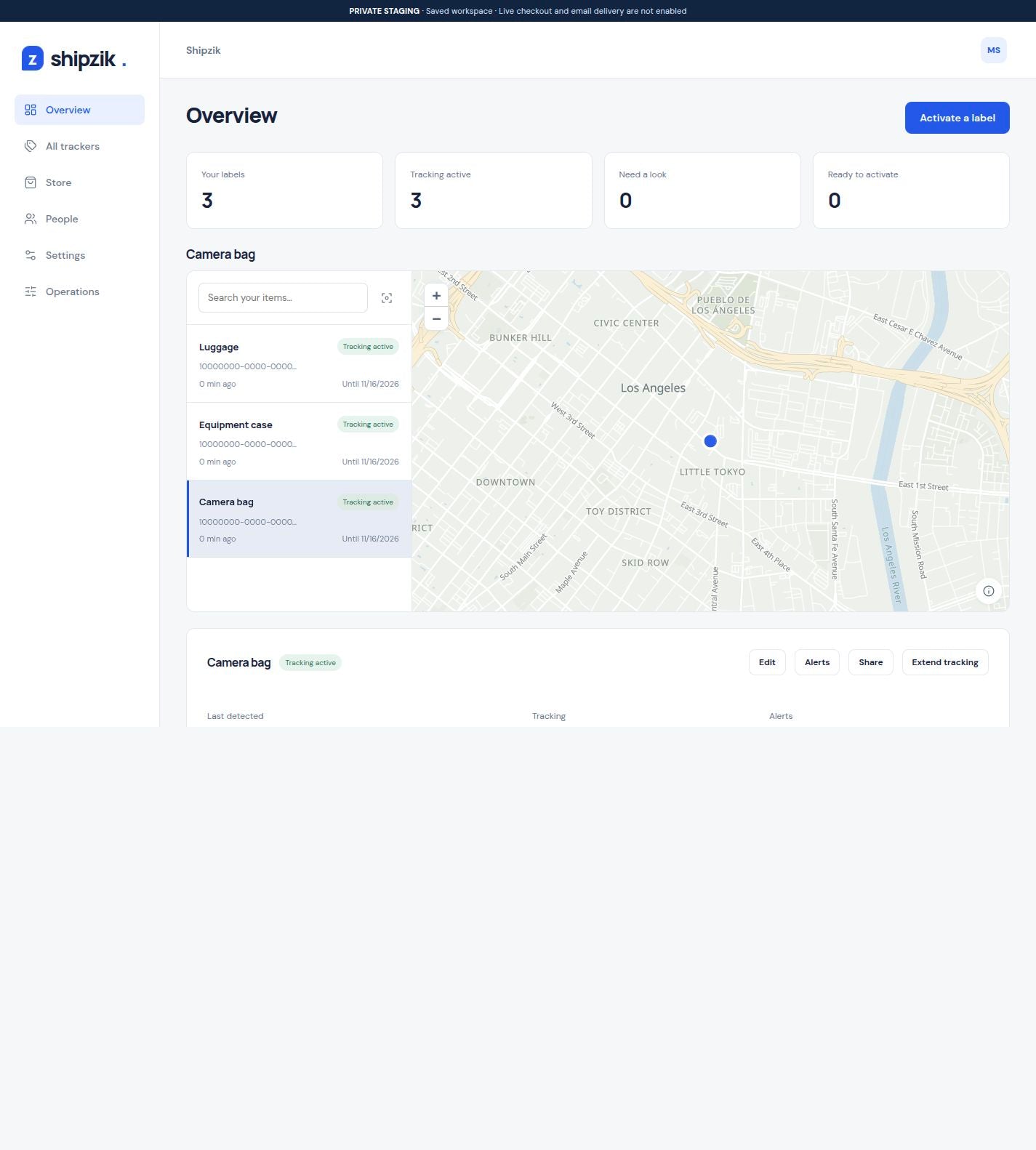
See your shipments and equipment together. Open an item for its location history, alerts, and sharing controls.
Explore the softwareSample data. Changes stay in this demo.
OpenFreeMap · © OpenMapTiles · © OpenStreetMapMap style credits
Before your
first shipment.
Shipzik for shipments
How do I start tracking my first shipment?
Scan your label’s QR code, sign in to Shipzik, and give the item a name. Peel the backing, attach the label, and confirm activation to start its 30-day tracking period. Each label in a pack can start separately. Follow the setup checklist.
Where should I attach the tracking label?
Choose a flat, protected surface near the outside of the package, away from metal where practical. Keep the carrier’s barcode and address visible. Test with your actual packaging and contents because placement affects reception. Find a suitable label position.
How do I use Shipzik on my phone?
Open Shipzik in your mobile browser to manage labels, review detections, set alerts, and share tracking. It also works in a desktop browser, with no app download or separate Hubble account required. Explore the software.
When will I see a location update?
An update appears when a nearby receiver on Hubble’s terrestrial network detects the label’s Bluetooth signal. Shipzik shows the reported location and time. Updates have no fixed interval and do not form a continuous live route. Receiver availability, placement, and surroundings affect detection. Understand coverage and accuracy.
How do I choose which email updates to receive?
Set alerts for first detection, a detection gap, tracking ending, or detections near or away from a place. Choose recipients for each alert, including people outside your account. See how email alerts work.
How do I let someone else view tracking?
Turn on sharing for the item and send its tracking link. The recipient can view it in a browser without signing up. Owners choose whether to include location history, and you can turn sharing off whenever you need. Set up a shared tracking link.